

Keyword cannibalization happens when two or more pages on your own website compete to answer the same searcher’s question.
It is not always a disaster. It is not a penalty. And it does not mean every page that ranks for similar words needs to be deleted.
The real problem is simpler: Google and your reader cannot easily tell which of your pages is the best answer.
That is when a small site starts getting in its own way.
You may have two articles with nearly identical titles. You may have written a broad guide, then later created a second article that gives the same advice with slightly different wording. You may have turned every keyword variation into a separate post because a tool told you each phrase had search volume. A deliberate way to prevent this problem is to plan posts without overlap before publishing.
Now both pages are weaker than one focused page could have been.
I have seen website owners respond by deleting half their content in a panic. I would not do that. The right fix depends on what each page is trying to accomplish, whether either page has useful traffic or links, and whether the searcher actually needs two different answers.
What keyword cannibalization really means
Keyword cannibalization is not simply two pages using the same word.
A website about tomatoes should be able to mention “tomato plants” on hundreds of pages. A DIY SEO website should be able to mention “SEO” almost everywhere. That is normal.

The issue begins when multiple pages have the same main promise, serve the same search intent, and compete to be your site’s best result for the same person.
For example, these two titles may be targeting the same reader:
- How Long Does SEO Take for a New Website?
- When Will a New Website Start Ranking on Google?
They could potentially be one article if both pages give the same timeline, examples, and next steps.
But these two titles can reasonably be separate:
- Why Is My New Website Not Showing Up on Google?
- How Long Does SEO Take for a New Website?
The first reader believes something may be wrong. The second reader wants realistic expectations. The topics overlap, but the reader’s immediate need is different.
That distinction is everything.
Why keyword cannibalization hurts a small site
When two pages do the same job, your site can split its useful signals.
One page may get a few impressions. The other may get a few clicks. One may receive internal links while the better article sits buried. Google may switch between the two in search results because neither page has established itself as the obvious answer.
Readers can also get a worse experience.
They may click one article, leave with only part of the answer, and later find a second article on your site that should have been combined with the first. Or they may see several nearly identical posts in your category archive and wonder whether you are actually giving different advice or just publishing variations of the same article.
A focused content library feels more trustworthy. Each page has a reason to exist.
Google’s guidance emphasizes helpful, reliable content that gives people a satisfying answer rather than content created mainly to chase rankings. That is a useful test here. If two articles leave a reader needing to search again because each one only handles half of a question, the problem may not be a lack of content. It may be that the content is divided in the wrong place.


Keyword cannibalization is not a Google penalty
I want to be clear about this because the word “cannibalization” can make people nervous.
Google does not hand out a keyword-cannibalization penalty because two of your articles mention the same subject. Google can rank multiple pages from the same website when they each deserve to be there.
You may have one page that explains what search intent means and another that shows how to use search intent while writing a blog post. Those pages are closely related, but they solve different problems.
You may have a broad guide on DIY SEO and a detailed article about internal links. Again, related but not duplicates.
The concern is not overlap by itself. The concern is confusion.
If two pages both claim to be the best answer to the same question, but neither is clearly more complete or more focused, you have probably divided your effort instead of strengthening it.
The easiest way to tell whether two articles overlap
Read the titles of the two posts and finish this sentence for each one:
This page exists to help a reader ________.
If the ending is nearly identical, you may have cannibalization.
For example:
This page exists to help a reader understand why their new website is not ranking.
This page exists to help a reader understand why their new website is not ranking.
Those are almost certainly overlapping pages.
Now compare these:
This page exists to help a reader understand why their website is not appearing in Google at all.
This page exists to help a reader understand why Google indexed their page but it still is not ranking.
Those pages are connected, but they are not duplicates. The reader has reached a different stage of the problem.
A good content cluster contains pages that support one another without repeating one another. That is the difference between building authority and simply building a longer list of URLs.



Common ways keyword cannibalization starts
Most cannibalization is accidental. It usually comes from a reasonable idea taken a little too far.
Writing one post for every keyword variation
A keyword tool may show several phrases that appear similar:
- how long does SEO take
- how long does it take to rank on Google
- when will my website get traffic
- SEO results for a new website
Those phrases may look like four content ideas. But if the same person would be satisfied by one complete answer, they are probably one article.
Do not let a keyword list bully you into writing four thin versions of the same guide.
Publishing before checking what you already wrote
When you publish often, it is easy to forget older posts. You may write a useful article in January, then create a nearly identical one in August because the older title does not stand out in your memory.

This is why a content plan matters. A clear SEO content cluster helps you see what each existing article already covers before you create another one.
Creating a broad page and then accidentally repeating it
Broad guides are useful. They introduce a large subject and point readers toward deeper help.
The trouble comes when a supporting post only repeats the broad page instead of taking one part further.
A beginner SEO guide can mention internal links. A separate internal-link article should not repeat the definition for 1,500 words. It should show where links belong, how to choose the destination, what anchor text to use, and what mistakes to avoid.
Trying to rank for every possible audience with one page
The opposite problem happens too.
Sometimes people keep adding sections to one article until it tries to help beginners, agencies, local businesses, e-commerce stores, affiliate marketers, and large publishers all at once. That page becomes broad enough to be vague.
When the searcher’s situation genuinely changes, a separate article may be the right answer. The key is to separate pages by the reader’s job, not by tiny wording differences.
How to find possible keyword cannibalization
You do not need expensive software to begin looking for overlap. Start with the pages you already have.
Look for similar titles and slugs
Scan your Posts screen, category archives, or content spreadsheet. Look for titles that make nearly the same promise.
Pay special attention to phrases like:
- how to get more traffic
- why my blog gets no traffic
- how to increase blog traffic
Those may be different pages, but they deserve a closer look. The titles alone cannot tell you whether they overlap. You need to compare the actual intent and content.
Compare the outlines, not just the keywords
Open both articles and look at the headings.
If the outlines are almost identical, the examples are interchangeable, and the practical advice would be the same, you probably have two pages trying to do one job.
If the outlines differ because the reader needs different information, keep them separate.
For example, an article on keyword competition should explain how to judge whether a phrase is realistic. An article on search intent should explain what kind of answer the searcher expects. Those topics work together, but their outlines and reader outcomes should not be the same.
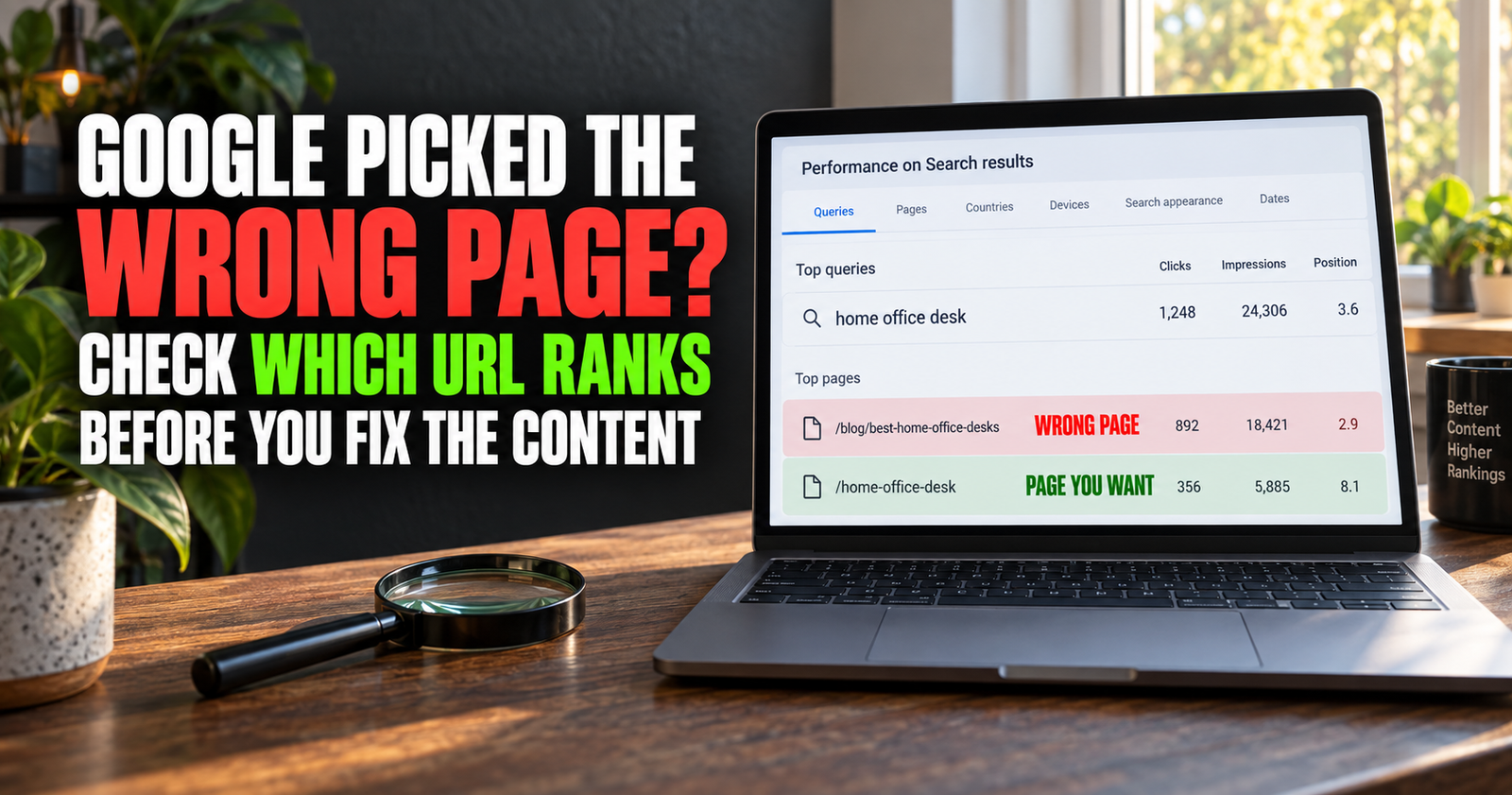
Use Search Console to see which page Google prefers
Once your site has enough data, Google Search Console can show whether different pages are appearing for similar searches.
Look at the performance of the pages, then compare the queries they receive impressions for. You may find two URLs taking turns appearing for the same core question. That does not automatically mean you should merge them, but it gives you a reason to investigate.
I would not make a major decision based on one week of data. New sites and recently updated pages can move around. Look for a consistent pattern, then read the pages as a real visitor would.
Search your own website the way a visitor would
Search your site name plus the topic you are investigating in Google. You can also use your WordPress search or browse your own categories.
If you find several posts that all look like they would answer the same question, that is a strong signal to review them.
This simple check catches a lot of overlap before it becomes a bigger mess.
Decide whether to merge, redirect, rewrite, or keep both
Not every overlap gets the same fix. This is the part where judgment matters.
Merge the pages when they answer the same question
Merge two articles when one searcher would reasonably expect one complete answer instead of two separate posts.
Choose the stronger URL as the main home for the topic. Usually, that is the page with the better content, the more useful links, the stronger search visibility, or the cleaner URL. Move the unique helpful information from the weaker page into the stronger one, then use a permanent redirect from the old URL to the surviving page.
Do not simply paste two articles together back-to-back. Remove repeated explanations. Combine the best examples. Rewrite the introduction and headings so the new page feels like one thoughtful article instead of two posts stitched together.
A redirect makes sense when the old page is truly being replaced. It helps readers and search engines reach the new best answer instead of landing on a dead end.
Rewrite one page when the intent should be different
Sometimes two pages overlap because one of them was too vague, not because it should disappear.
Maybe you have one article called “How to Improve SEO” and another called “How to Improve Old Blog Posts.” The first is broad. The second can become a clear content-refresh guide. In that case, the specific article may deserve to stay while the broader page gets a sharper purpose.
Rewriting can mean changing the title, opening, headings, examples, and internal links so the page serves a different reader question.
You are not trying to trick Google by changing a few words. You are making the page useful for a distinct job.
Keep both when the reader has a different problem
Keep two pages when the searcher needs a meaningfully different answer.
A person asking whether a new site can rank without backlinks is evaluating a concern about authority. A person asking how to find keywords without paid tools is trying to choose what to write. Both pages belong in the same beginner SEO cluster, but they should remain separate.

The article on search intent and SEO is helpful here because it keeps the focus on what the reader actually wants to accomplish.
Do not delete a page just because it has no traffic
A page with little traffic may be new, poorly linked, too broad, or aimed at a topic with little demand. It may also simply need time.
Before deleting anything, ask whether the page has useful content, internal links, backlinks, impressions, or a distinct purpose. If it does, improve it or clarify its role.
Delete or redirect only when the page has no worthwhile unique value and another page is clearly the better destination.
A practical process for fixing overlapping articles
When I audit a site for cannibalization, I would take this approach:
- Gather the pages that seem to answer the same question.
- Write one sentence explaining the intended job of each page.
- Compare the titles, headings, examples, and practical outcome for the reader.
- Check Search Console performance and internal links pointing to each page.
- Choose one action: keep both, merge, rewrite, or redirect.
- Update the stronger page so it fully answers the topic without repetition.
- Redirect a retired URL only when it has a genuinely relevant replacement.
- Update internal links across the site so they point toward the page you now want readers to find.
- Give Google time to process the change before making another major overhaul.
Do not try to fix 100 possible overlaps in one weekend. Start with the clearest duplicates and the pages that matter most to your site.
Internal links can make cannibalization worse or better
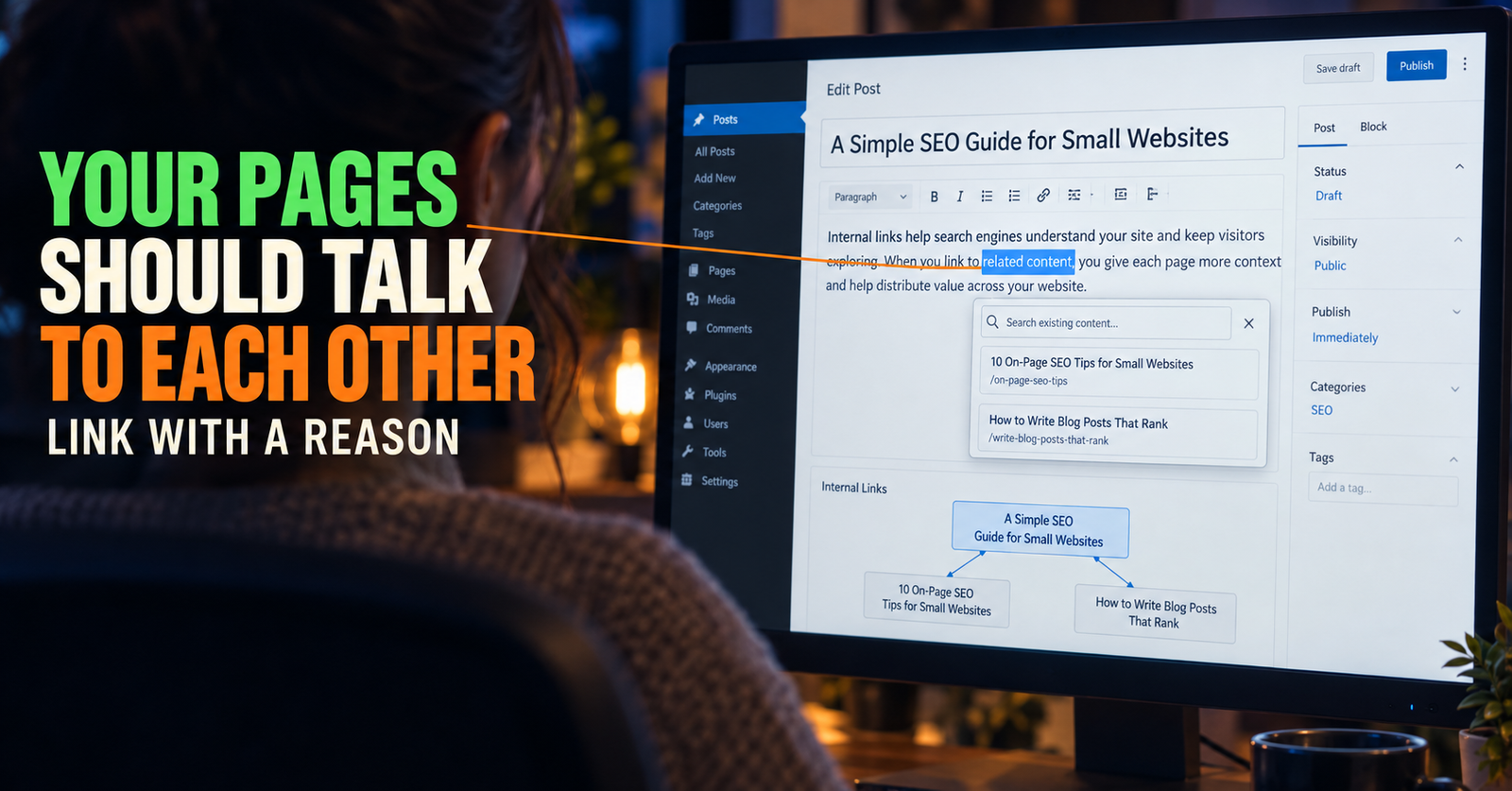
Internal links tell readers which page you consider important for a subject.
If half your site links to one article about beginner keyword research and the other half links to a nearly identical article, you are sending mixed messages. That does not mean every link needs the exact same anchor text. It means your important pages need a clear role.
Once you choose the strongest page for a topic, update older relevant articles to link there naturally. This is not about forcing links into every paragraph. It is about making sure a reader who needs that answer reaches the page you actually want to support.
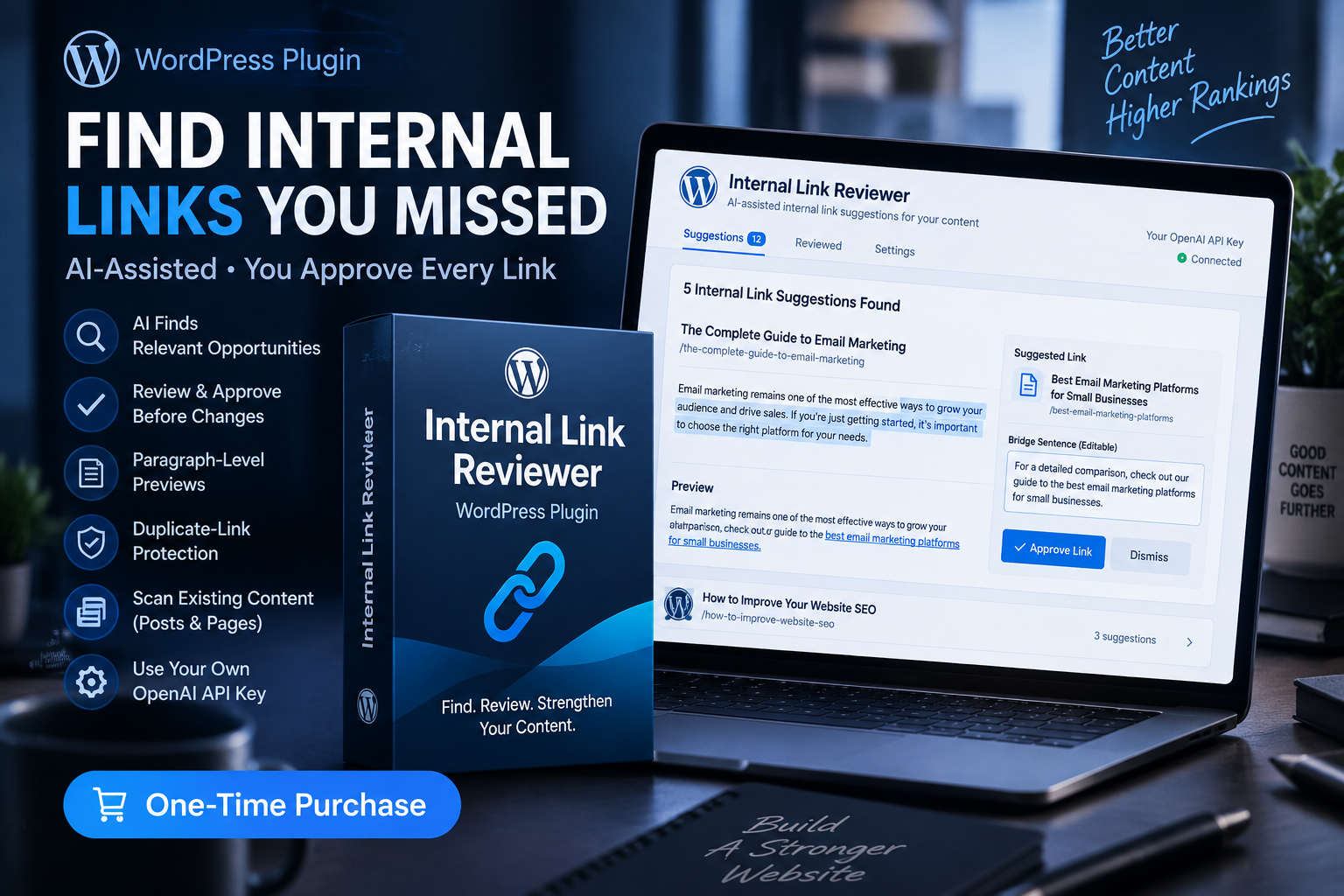
A careful internal-link review can make this job much easier on a large site. The Internal Link Reviewer plugin is useful for finding missed contextual opportunities while leaving each recommendation for you to approve manually.
If your site is still small, you can do this by hand. The key is to keep links spread out, relevant, and useful to the person reading the article.
Do not use canonical tags as a shortcut for duplicate content
Canonical tags have a real purpose, but they are not a simple answer for two competing blog posts.
A canonical tag tells search engines which version of substantially similar content you prefer as the primary version. It can be useful in certain technical situations, such as duplicate URL variations. It does not fix two blog posts that should be merged, rewritten, or separated by intent.
If one article is the better complete answer and the other has no distinct role, improve the stronger page and redirect the retired one. If both pages serve different needs, keep them distinct and make that difference clear through the title, content, and internal links.
Technical tags should support a clean content strategy, not replace one.
How to prevent cannibalization before it starts
The best time to fix keyword cannibalization is before you publish another overlapping post.
Keep a simple content inventory
You do not need a complicated system. A spreadsheet with the title, URL, main topic, search intent, and category can be enough.
Before writing a new article, search the list for similar ideas. If an older page already has the same job, update it instead of competing with yourself.
Plan by questions, not only by keywords
Keywords matter, but a keyword is not the whole topic.
Ask what the person wants after they type that phrase into Google. Are they trying to understand a definition, solve a problem, compare options, buy something, or make a decision?
That question helps you avoid creating separate pages for phrases that really belong in one complete answer.
Give each article a one-sentence purpose
Before publishing, write down the page’s job.
If you cannot explain why it exists separately from another article, stop and compare the two before you create more overlap.
Use clear titles that make different promises
Your title should tell the reader what unique question the page answers.
“SEO Tips for Beginners” and “Beginner SEO Tips to Rank Higher” sound like the same page. “Why a New Website Is Not Showing Up on Google” and “How to Find Keywords Without Paid Tools” clearly serve different needs.
Clear titles protect the reader and make your own content library easier to manage.
Improve old content when it is already the right page
Publishing something new can feel more exciting than revisiting an old post. But if the old page already owns the right topic, a substantial update is often the stronger move.
The question is not “Which choice creates another URL?” The question is “Which choice gives the reader the best answer?”
That is the mindset behind deciding whether to update old content or write a new page. A stronger site is not the one with the most articles. It is the one where every article has a useful reason to exist.
Signs your fix is working
You will not always see an immediate ranking jump after consolidating content.
Google needs time to crawl the updated page, process redirects, and reassess the content. You may also be competing against established websites with stronger signals in other areas. Be patient enough to judge the work fairly.
What you should look for over time is clarity.
The surviving page should be more complete. Your internal links should point readers to the right place. Your category pages should make more sense. Search Console may begin showing one primary page more consistently for the topic.
Most importantly, a reader should no longer need to wonder which of your articles they should trust.
Frequently asked questions
Is keyword cannibalization always bad for SEO?
No. Multiple pages can rank for related terms when they serve different search intents. It becomes a problem when multiple pages answer the same question so similarly that neither one is clearly your best result.
How do I know which page to keep?
Keep the page with the strongest combination of useful content, relevant visibility, worthwhile links, and the clearest fit for the searcher’s question. Move the best unique information from the weaker page into it before redirecting the old URL when appropriate.
Should I redirect two similar posts to one page?
Only if one page is truly replacing the other. First combine any useful unique material into the surviving page. Then use a permanent redirect so readers and search engines reach the strongest answer.
Can I have two blog posts target the same keyword?
Sometimes, but only when they serve a different reader need. If both pages would have the same title promise, outline, and answer, they are probably better as one stronger article.
How often should I check for keyword cannibalization?
A thorough review a few times a year is usually enough for most small sites. Also check before publishing a new post, especially when the topic sounds similar to something you already wrote.
Alden Whitaker writes practical, plain-English SEO guides for Make It Found that help small website owners make smart content decisions without getting lost in agency jargon.