
I have made over $273,000 in Etsy sales as of September 2026, and one thing I know for sure is that a listing does not need fancy words to sell. It needs to help the right shopper understand what they are looking at, why it may fit their needs, and what to expect when they order.
ChatGPT can make listing work faster, but it can also make a shop sound generic in a hurry. I use it to organize product details, find clearer wording, and work through the parts of a listing that are easy to put off. I do not let it invent product facts, customer reviews, shipping promises, materials, or search terms that do not fit what I actually sell. For a wider look at keeping AI-assisted work personal and accurate, see keep AI-assisted website content authentic.
The best ChatGPT prompts for Etsy start with real details. If you give it a vague sentence, you get a vague listing back. If you give it the product, buyer, materials, options, and the question shoppers keep asking, it can help you turn that information into something much more useful.
What ChatGPT can help with on an Etsy listing
A complete Etsy listing has several moving parts. You need a title, photos, description, tags, attributes, price, shipping details, and sometimes personalization instructions or variations.
ChatGPT cannot replace your photos or tell you what your customer sees when they hold the item. It can help you write the words around those things.
I use it for tasks like these:
- Turning rough product notes into a first description draft.
- Finding a clearer way to explain a product’s use or benefit.
- Organizing details for products with several options.
- Building a list of honest buyer questions to answer.
- Drafting personalization instructions.
- Rewriting stiff or repetitive sentences.
- Brainstorming listing-photo text ideas.
- Reviewing a listing for missing information.
That is very different from asking it to “write a listing that sells.” The second prompt sounds appealing, but it gives the tool almost nothing real to work with.
Start with the details only you know
Before I open ChatGPT, I gather the information that should come from me, not AI.
That usually includes the product name, what it is made from, sizing, colors, variations, what comes in the order, how it is used, how long it takes me to make, care instructions, and who tends to buy it.
I also write down the real reason somebody may want it. A buyer does not always shop for an item because of the item itself.
Someone might buy a personalized sign because they are moving into a new house. They may buy a printable because they need to get organized before a busy season. They may buy a handmade gift because they want something that does not feel like it came from a big-box store.
That context helps ChatGPT make the listing feel specific without making promises you cannot back up.



The basic ChatGPT prompt I use for Etsy descriptions
This is a strong starting point for a new listing:
Write an Etsy product description for [product name]. My likely customer is [describe the customer]. They may be buying it because [reason, need, occasion, or problem].
Use only the facts below. Do not invent materials, measurements, product features, customer reviews, shipping times, policies, or results.
Start with a natural explanation of what the item is and why it may be useful. Then organize the important details so they are easy to scan on a phone. Keep the tone friendly, clear, and natural. Avoid hype, fake urgency, keyword stuffing, and phrases like “must-have,” “perfect for everyone,” or “best ever.”
Product details: [paste your product notes]
I nearly always edit what comes back. That is normal. The first draft gets you moving. The final listing still needs your eyes on it.
Prompt for Etsy titles that stay clear instead of stuffed
Your Etsy title should help the marketplace understand the product while still making sense to a human being.
I do not use ChatGPT to blindly cram every phrase it can think of into a title. Titles that read like a pile of disconnected search terms may include keywords, but they can look rough to a shopper. A clearer approach is to understand how Etsy search matches listings before deciding which phrases belong in a title.
I sell [product]. My main Etsy keyword is “[main phrase].” Other accurate phrases shoppers may use are [list phrases]. Create 10 Etsy title options that begin with the clearest description of the item and use natural wording. Do not repeat the same word unnecessarily. Do not include terms that are not accurate for the product. Keep each title readable to a real shopper.
After ChatGPT gives you options, compare them to your product photo. If the first few words do not quickly match what is shown, keep working on it.
For the way I approach titles from the start, read how I write Etsy titles shoppers can actually understand.

Prompt for finding words shoppers may use without paying for tools
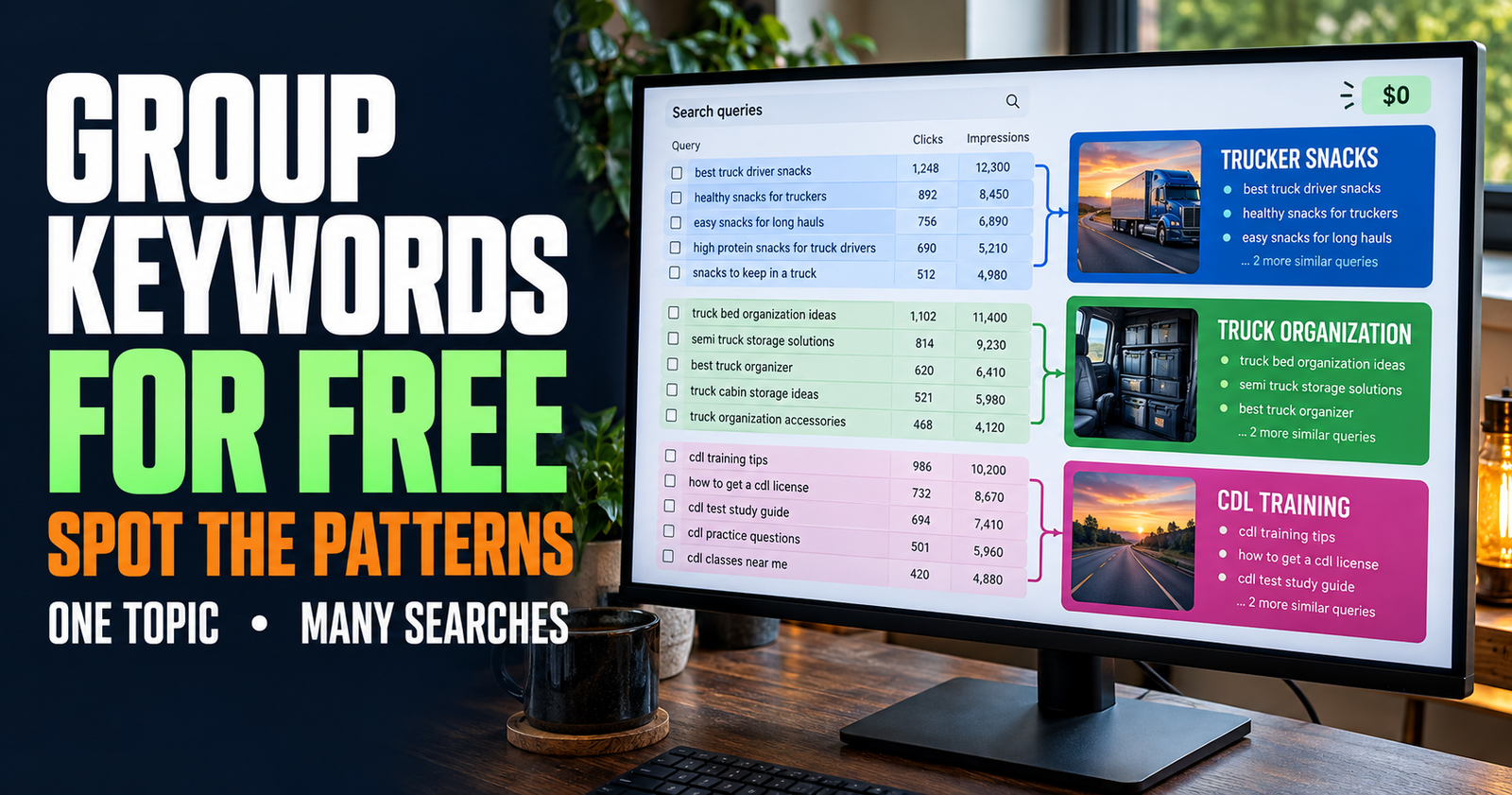
ChatGPT can help you brainstorm wording, but it is not a live Etsy keyword tool. It does not see your current Etsy search data, buyer behavior, or what is appearing in autocomplete while you search.
That means I use it to generate ideas, then I check the ideas against real Etsy search suggestions, my own listing stats, and the language customers use.
I sell [product] to [buyer]. Brainstorm phrases that a shopper may use when looking for this item. Separate them into product-type phrases, use-case phrases, recipient or occasion phrases, style phrases, and problem-solving phrases. Do not claim these are verified Etsy keywords. Do not include phrases that would mislead the buyer about what the product is.
That gives you a working list without pretending every suggestion has search volume behind it.
My process for checking ideas with real Etsy search behavior is in how I find Etsy keywords without paying for tools.
Prompt for writing an Etsy description that answers buyer questions
A description should not just repeat the title. Its real job is to help a shopper decide.
This is especially important when the photos cannot show everything, such as the feel of a material, a digital-file format, a customization process, what is included, or how an item should be cared for.
Based on the details below, write an Etsy product description that answers the questions a careful shopper may have before ordering. Cover what the item is, materials, size or dimensions, available options, what comes with the order, how it is used or displayed, care instructions, and any important limits.
Put the most important buying details near the top. Use short sections and plain language. Do not add facts that are not listed in my notes.
Product details: [paste product details]
If you notice the draft includes an answer you never gave it, stop there and check it. That is exactly the kind of quiet mistake that can cause unhappy buyers later.
Prompt for personalized Etsy products
Personalized listings need very clear instructions. The buyer should know what to send you, where to send it, what the finished item will include, and what they should double-check before they place the order.
I sell a personalized Etsy item called [product name]. Write a clear personalization section for my listing. Explain exactly what information the buyer needs to provide, where they should enter it, any character limits, and what I will use that information for. Keep it short enough to read quickly but specific enough to prevent mistakes. Do not add turnaround times, design options, proof approval, or policies that I have not given you.
My personalization details: [paste details]
I would also read this section as if I were placing an order quickly on my phone. If you have to slow down to understand it, a customer may make a mistake too.
Prompt for digital Etsy products
Digital products need a different kind of clarity. Many Etsy messages come from customers who thought they were getting a physical item or did not know what file format they would receive.
The description should say early that the product is digital. It should explain what the buyer gets, how they access it, and what they need to use it.
Write an Etsy description for a digital product called “[product name].” Make it clear near the beginning that this is a digital download and no physical item will be mailed. Explain what files or access the buyer receives, what they can use it for, and anything they need to know before purchasing.
Use only the facts below. Do not promise that a file works with a device, printer, program, or editing app unless I list that compatibility myself.
Product details: [paste details]
Do not hide the digital nature of the item halfway down the page. A clear description protects both you and the customer.

Prompt for product variations that buyers can understand
When a listing has several sizes, colors, materials, bundles, or styles, shoppers need more than a dropdown menu with unclear labels.
I sell [product name] with these options: [list options]. Write a short section that helps a buyer choose the right version. Explain the differences using only the details I provide. Keep it practical and easy to scan. Do not call an option “best” unless there is a clear reason based on size, use, material, or included items.
Option details: [paste details]
This prompt is useful for reducing those messages where somebody asks, “What is the difference between these two choices?” after they have already been looking at the listing.
Prompt for turning a customer question into better listing copy
Every question a customer asks more than once is a sign that your listing may need one more sentence.
I keep an eye on messages that come up repeatedly. If three people ask whether something is editable, whether it fits a certain size, or whether a certain color is included, I do not just answer the next person. I improve the listing.
Here are questions customers have asked about my Etsy product: [paste questions]. Here are the accurate answers: [paste answers]. Identify which answers should be added to the listing description, variation names, photo text, or personalization instructions. Then write only the new wording needed. Do not invent policies or details.
That is one of the easiest ways to make a listing stronger over time. Your customers are telling you where they hesitate.
Prompt for Etsy tags without making false promises
Tags are limited, so every one needs to fit the item honestly.
ChatGPT can help you organize tag ideas around the product, buyer, style, use, and occasion. It should not persuade you to chase unrelated high-traffic words.
I need Etsy tag ideas for [product]. The item is accurately described as [details]. Give me tag ideas that are relevant to the product, its use, likely buyer, style, and occasion. Do not include misleading terms, competitor names, trademarked names, or claims I cannot make. Separate broad phrases from specific long-tail phrases. Keep each idea concise.
Use the output as a list to review, not a list to paste without thinking.
A tag is not useful if it brings the wrong shopper into your listing. More views do not help much when people click, realize it is not what they wanted, and leave.
Prompt for listing photo text ideas
Your listing photos should do most of the work, but a small amount of clear text on the right image can answer an important question before the buyer even reaches the description.
I do not put every detail on every photo. I pick the details that reduce uncertainty.
I sell [product]. Based on these details, suggest 10 short pieces of text I could place on Etsy listing photos. Focus on helpful buyer information such as size, material, what is included, customization, digital versus physical format, or an important use detail. Keep each suggestion under 8 words. Do not use exaggerated sales language or claims that are not supported by the product facts.
Product details: [paste details]
For example, a digital planner image might say “Instant Digital Download,” while a personalized item image might say “Add Your Name at Checkout.” That can help the buyer understand the basic offer before they have to read much.
Prompt for making a description sound less robotic
If you use AI for a first draft, the result may be technically fine but still sound stiff. I do not fix that by asking it to “make it better.” I tell it what to remove.
Rewrite the description below so it sounds like a helpful small-shop owner explaining the product to a customer. Keep all facts exactly the same. Remove repetition, overly formal wording, generic sales phrases, and vague adjectives. Use shorter sentences where it improves clarity. Do not add personal stories, customer feedback, or product claims that are not already included.
Description: [paste your draft]
Then read it out loud. That catches a lot of sentences that look fine on screen but do not sound like a real person talking.
Prompt for reviewing a listing before you publish
This is probably the prompt I would use most often once the listing is close to finished.
Review this Etsy listing for a first-time shopper. Do not rewrite it yet. Identify:
- Important questions that still are not answered
- Details that are vague or could be misunderstood
- Repeated phrases
- Claims that I should verify or soften
- Places where I need a real photo, measurement, example, or clarification
Then give me the five most important changes to make before publishing.
Listing details: [paste your title, description, variations, and instructions]
It is much easier to fix a listing before it gets views than to answer the same confusing question in messages for months.
What I never let ChatGPT make up for an Etsy listing
Etsy shoppers are real people spending real money. That means accuracy matters more than clever copy.
I never let ChatGPT create these details unless I have personally provided and verified them:
- Product measurements.
- Materials or ingredients.
- Shipping times.
- Delivery dates.
- Return policies.
- Customer testimonials.
- Safety claims.
- “Made in” claims.
- Care instructions.
- Compatibility details.
- Copyright, licensing, or commercial-use terms.
- Stock scarcity or time-sensitive offers.
If the tool gives you something that sounds good but you cannot prove it, remove it.
A better way to use ChatGPT across your Etsy shop
I do not see ChatGPT as a button that creates finished listings. I see it more like a helper who is good at organizing a messy desk.
I bring the real product knowledge. I bring the photos. I bring the customer questions. I bring the judgment about whether a phrase sounds like my shop.
Then I use the tool to get a rough draft moving, clarify something that feels clunky, or spot a question I forgot to answer.
That keeps the listing useful to shoppers and keeps the shop from sounding like it was built from the same template as everybody else’s.
Dax Weaver is an independent publisher and Etsy seller with more than $273,000 in sales who writes practical, plain-English guides for Make It Found to help website owners, creators, and small businesses get found online.